
For Agents with a Listing That Is Sitting
Build Your Seller a
Private Portal
Day 45. No offers. The seller is asking what you are doing to sell their house. This page gives you one prompt that builds the answer: a private page you text them, with the evidence and three ways forward. About 10 minutes, start to send.
What you'll have in about 10 minutes
First run, closer to 15.
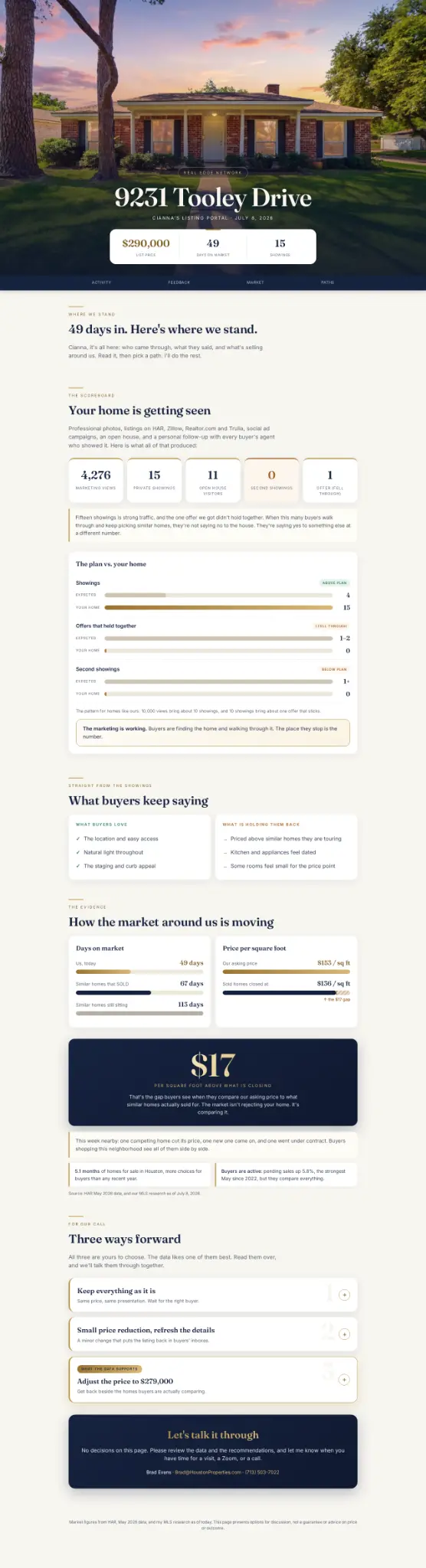
A private portal for one seller, built by Claude, that looks like it took a designer a week
Their home's scoreboard: showings, offers, and the market evidence for the price conversation
Measured against what the numbers should be (add your HAR view count to unlock this chart)
Buyer feedback distilled into what they love and what is holding them back (paste your feedback to unlock)
Three ways forward your seller reads before your call, with the recommended one marked
One link you text. No login, no app, no PDF attachment.
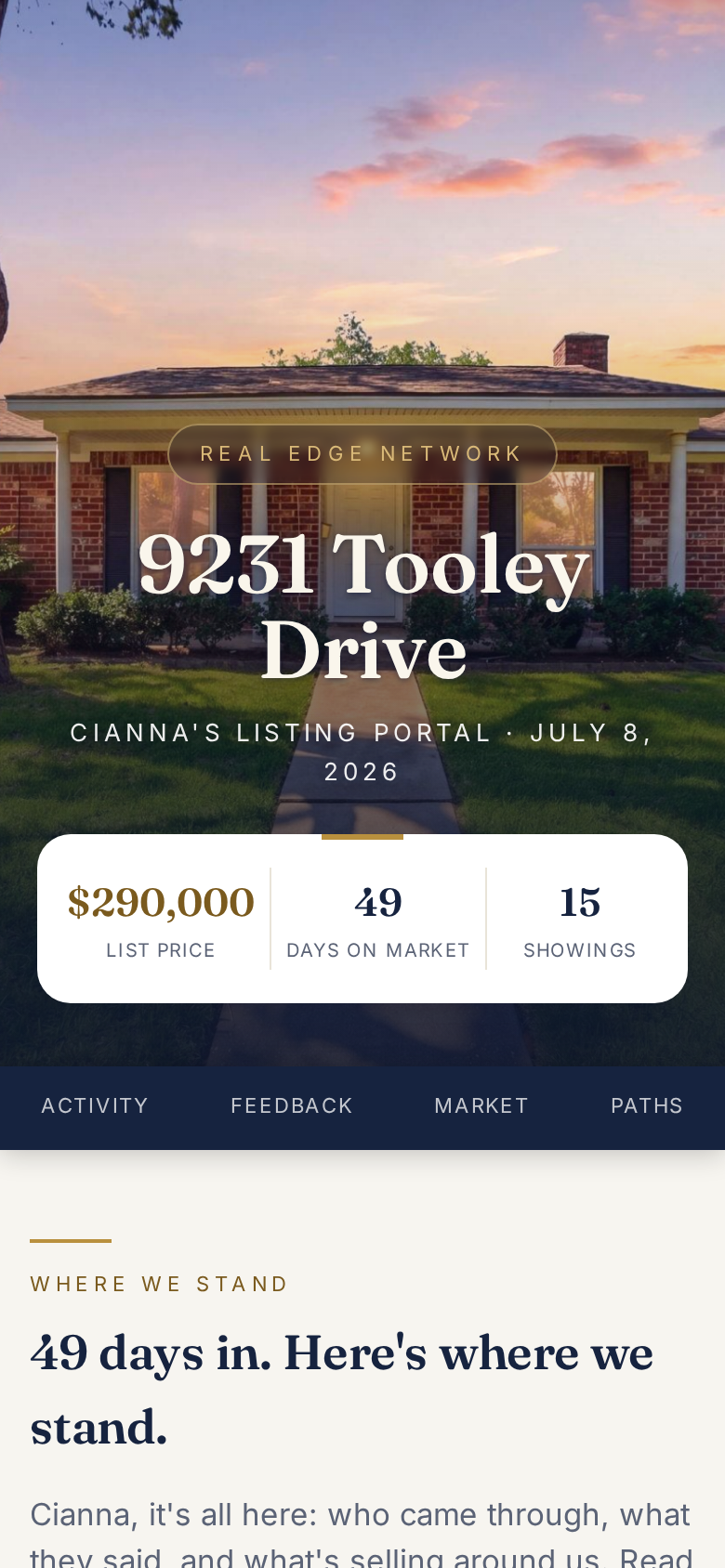
What your seller opens from your text.
Short on time?
Fill only the four required brackets: your listing link, your seller's first name, your showing count, and your cell. Claude reads your own listing for the rest, proposes the price move, and waits for your approval. On your phone mid-webinar? Fill just the listing link and your cell and send it. Claude asks for the rest one question at a time. One optional number worth adding: your view counts from HAR, Zillow, or Instagram. Paste them as-is and Claude adds them up. They unlock the plan-vs-your-home chart. Every number's source is pictured below the prompt, with the app it lives in.
Stay safe: five rules
- The price is yours. Claude proposes a number from asking prices and waits. Your seller only ever sees the number YOU confirm, as your recommendation.
- Texas does not publish sold prices. Anything Claude finds online is asking data and gets labeled that way. Only your MLS numbers count as sold data.
- The published link is open to anyone who has it, but the only people who have it are the ones you text. First name only. And yes, the page shows your repricing recommendation: that number goes public the moment you reprice anyway. If you would rather keep it off a shareable link until the decision is made, host the file yourself or print to PDF (step 6).
- Review the finished page before you send it. Your broker's rules always come first.
- The published page carries a small "Made with Claude" mark. Everything on it is your numbers, your name, and your recommendation, so "a private page I built for you" stays true. Want no mark at all? Host the file yourself (step 6 shows how), or print to PDF; the print version keeps your cell on the page, but the tap-to-text buttons become plain print.
Everything comes from three places
Grouped by what they feed. Gold chips show which prompt bracket each number fills.
Before you start, grab 4 things: your HAR listing link · your showing count · your feedback emails · your cell.
That is the whole required list. Everything else is a power-up.
 1
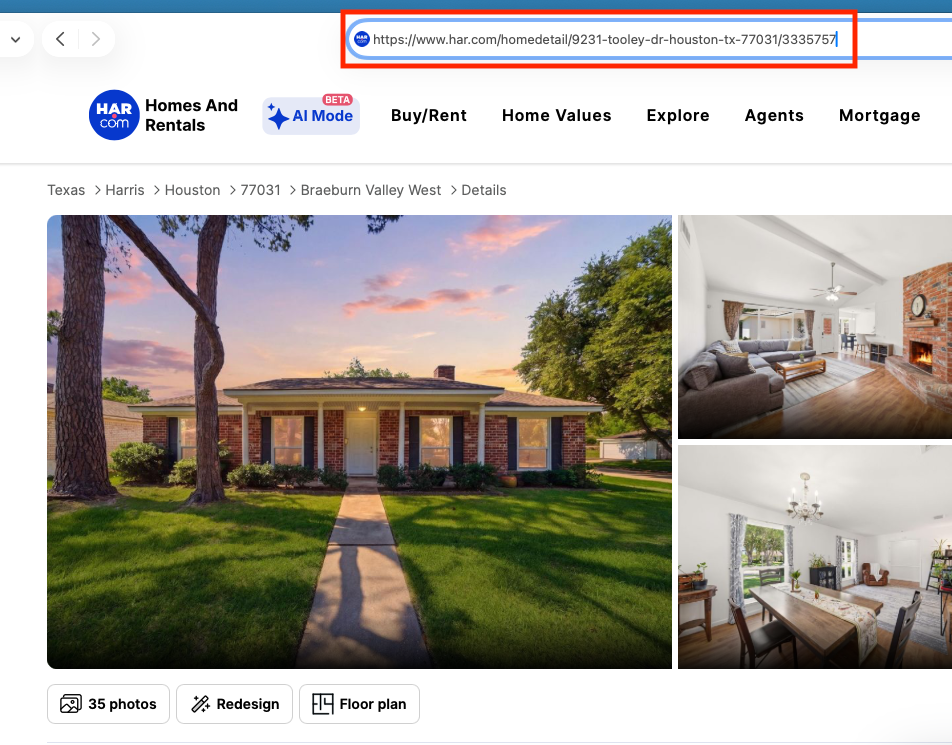
1Search your address on har.com. Copy the address bar.
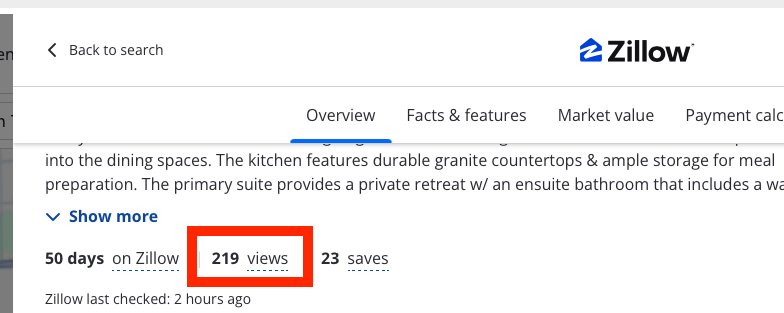
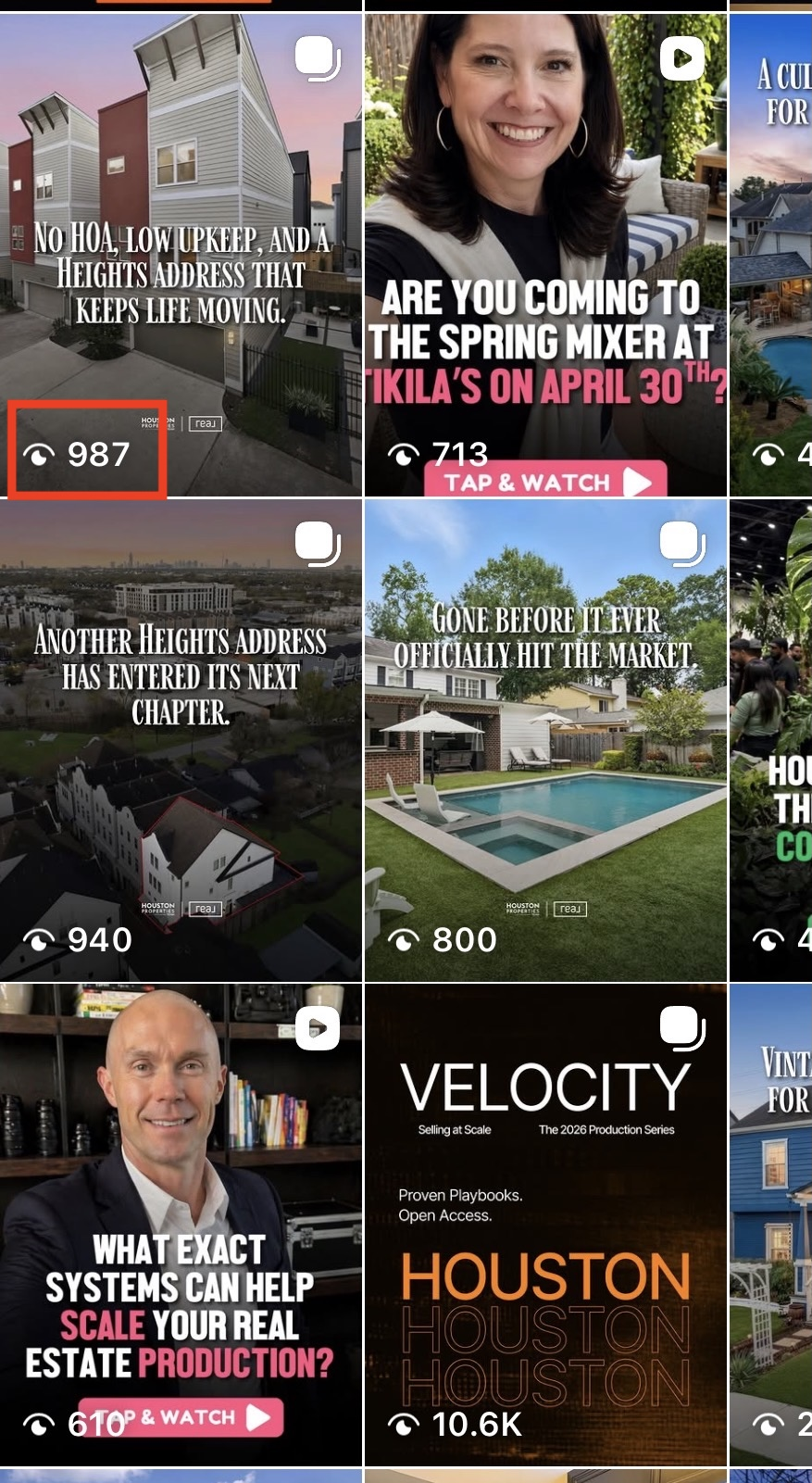
Three places to find your views. Paste any you have, Claude adds them up.

HAR Platinum. My Listings.
 2
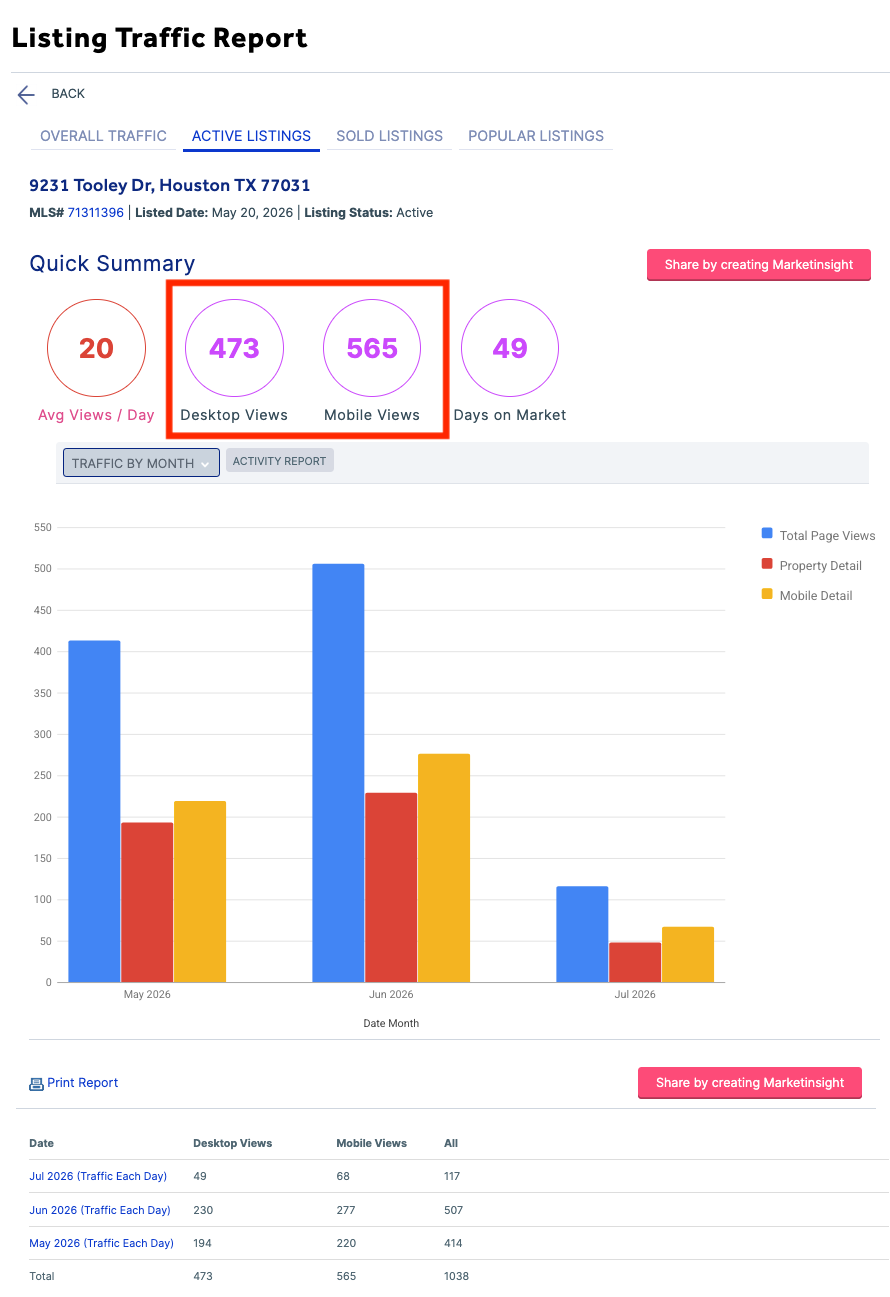
2Listing Traffic Report. Desktop Views + Mobile Views.
 5
5Zillow. Views beside days on Zillow.
 6
6Instagram. The eye number on your listing post.
Never add views up yourself. Fill any views bracket (2, 5, or 6) and Claude does the math.
 3
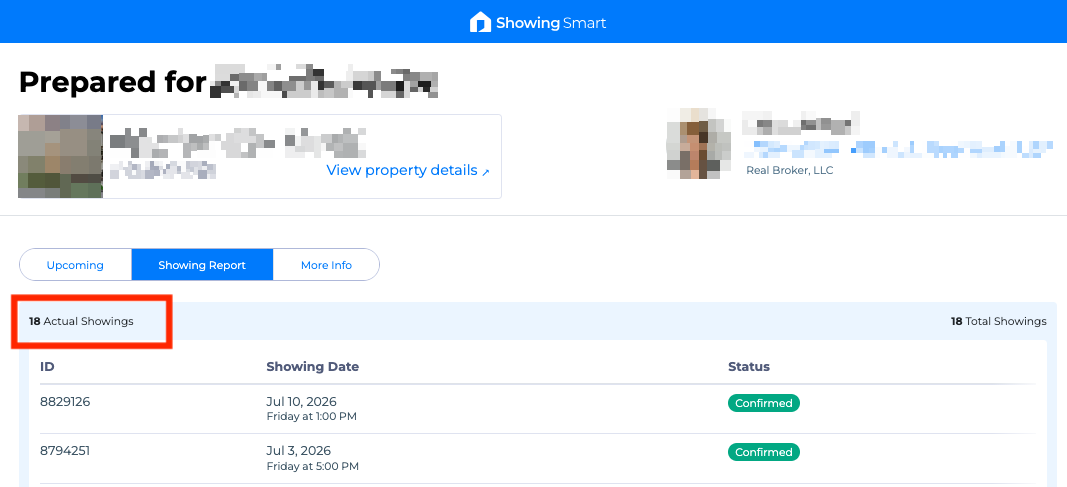
3Open ShowingSmart. The Actual Showings number.
 4
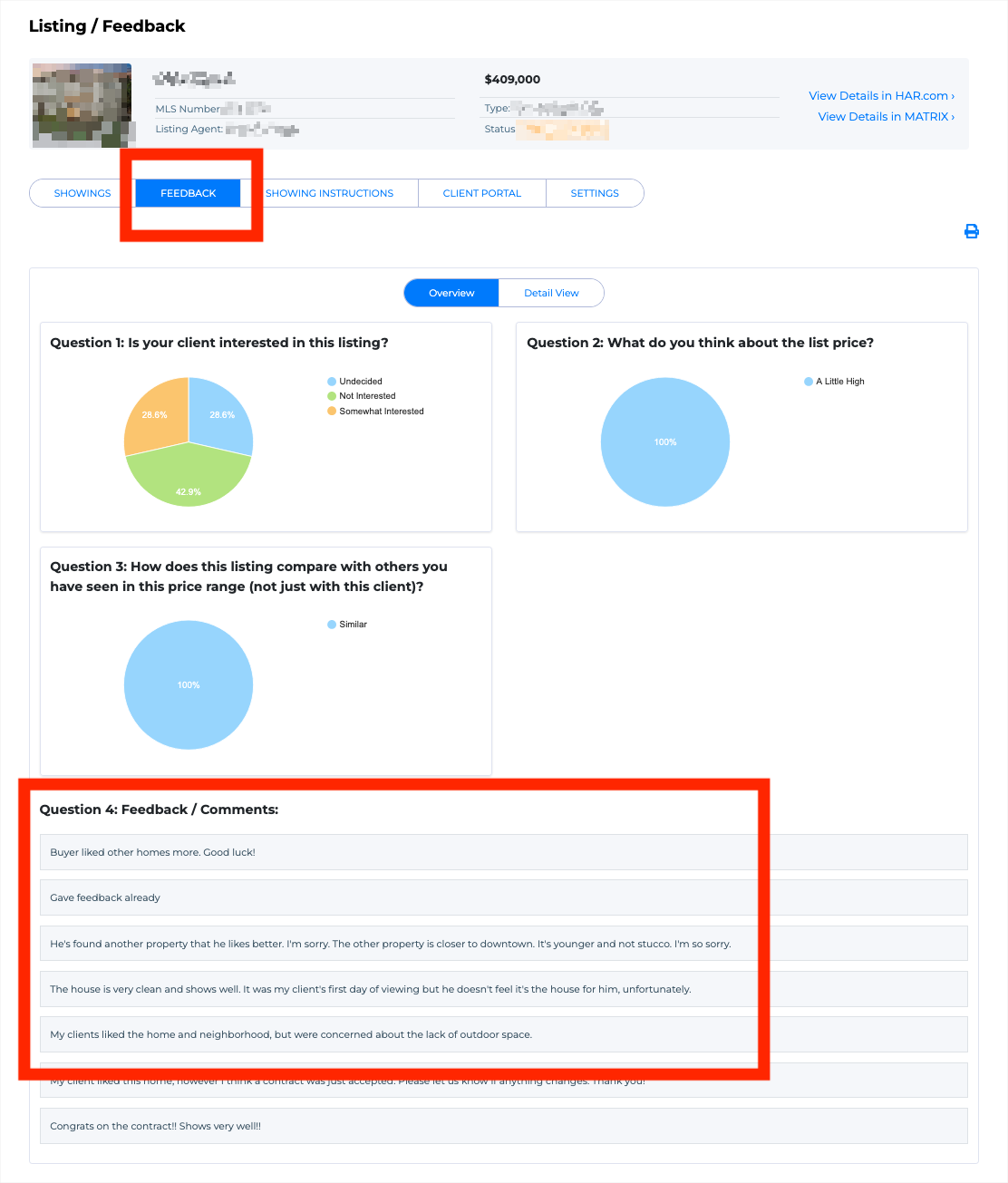
4Open Feedback. Copy the comments. Paste into Claude, as-is.
At some brokerages this is ShowingTime. Same steps, same brackets.
Everything else you already know: the seller's first name, your cell, open house visitors, second showings, offers, anything that just sold nearby. And the price? Write ESTIMATE. Claude proposes a number, you confirm or change it. You never need to know what it "should" be before you start.
The prompt
One copy, one paste. Fill the brackets, send it to Claude, and it builds the portal.
Seller Portal Prompt
You are helping me, a Houston real estate agent, prepare a price-and-strategy conversation with a seller whose home has been on the market without an accepted offer. This is a TWO-STEP job. Step 1: check my inputs, fill the gaps by browsing, and propose a price move for my approval. Step 2: only after I approve, build an interactive, mobile-first web page (a private seller portal) I can publish and text to my seller as one link. Make it feel like a high-end real estate team's client portal, not a document. Write warm, plain, and honest. No pressure, no hype, no blame. Do not guarantee prices, timelines, or outcomes.

BROWSING RULES
- If any bracket below is blank, browse to fill it before asking me. Start with my listing link: pull square feet, list price, days on market, and the main photo URL from my own listing.
- If my link is a listing-report portal (for example my.houstonproperties.com/listing-report/...), it holds almost everything: open it plus its /marketing/, /feedback/, and /market/ pages, and pull the full scoreboard (price, days, showings, open house visitors, second showings, offers, marketing views), the buyer feedback entries, and the market numbers (days on market comparisons, price per square foot, months of inventory). That report is fed by my MLS, so its sold figures count as sold data and may be labeled "sold."
- For market context, you may browse HAR or Realtor.com for ACTIVE similar listings nearby (same beds, similar size, within about a mile): their asking prices per square foot, how many are competing, and any recent price cuts. Label all of it "asking prices."
- If you cannot open my listing link, do not stall: ask me in ONE short message for the price, square feet, days on market, and address, plus my listing photo's image address (on HAR, right-click or long-press the main photo and choose "Copy image address"). If no photo URL works, tell me plainly the hero will use a deep navy gradient instead.
- Texas does not publish sold prices. Never present a browsed estimate (Zillow, Redfin, or similar) as a sold comp or as fact. Only my MLS numbers count as sold data, and only if I give them to you.
- Anything you found by browsing gets listed back to me for confirmation before it appears on the seller's page. Nothing unconfirmed ships.

STEP 1 - CHECK, ESTIMATE, AND CONFIRM (do this before building anything)
1. Show me a short table: each key fact, its value, and its source (I gave it / found on my listing page / found by browsing / still missing). Include my MY MARKETING SO FAR line as a row and ask me to strike anything I did not actually do for this listing.
2. Propose a price move, as a estimate with the reasoning in two or three lines. Base it on: active competing asking prices per square foot, my days on market vs. the competition, buyer feedback themes, common search cutoffs (just under $250,000, $280,000, $300,000 and similar round numbers), and my sold data if I gave any. Give me one recommended number and a realistic range.
3. Say exactly this kind of thing: "My estimate is [$X], range [$Y-$Z]. This comes from asking prices, not sold data. Confirm it, edit it, or give me the number from your MLS research."
4. Wait for my answer. The number that goes on the page is MY confirmed number, presented as my professional recommendation, never as an AI estimate. Then build the page in one shot.
5. If I gave you only the listing link and my cell (I might be on my phone), do not complain about missing brackets: browse first, then ask me for whatever is left one short question at a time.

VOICE, IMPORTANT: write every line the way I would text my seller. First person, contractions, short sentences. Never narrate what the page is doing (no "this page pulls together" or "the goal is simple"). Never write consultant abstractions like "the market has given us information" or "look at the evidence." Use concrete nouns only: buyers, showings, homes, dollars, days. Say the seller's first name once at the top, then stop. If a sentence could appear in a corporate report, rewrite it.

MY INPUTS, in the same order as the page I copied this from: the page shows a matching screenshot for each numbered item, in this exact sequence. (required) means the portal needs it. Everything else sharpens a section, and blanks just drop away.

FROM YOUR HAR LISTING
1. (required) My listing link: [paste your HAR listing URL, or your listing-report portal link if your team runs one; I pull everything the link holds]
2. HAR views: [from HAR Platinum > My Listings > Listing Traffic Report: paste the Desktop Views and Mobile Views numbers as-is; I add them up]

FROM SHOWINGSMART
3. (required) Private showings so far: [number]
4. (recommended) Showing feedback, pasted raw: [paste your ShowingSmart or ShowingTime feedback here, comments and emails, as-is, typos and all. You will distill them into two short lists: what buyers consistently like, and what is holding them back. Use only what I pasted. Never invent a quote.]

FROM YOUR PHONE (power-ups)
5. Zillow views: [the views number beside "days on Zillow" on your listing]
6. Instagram views: [the eye number on your listing post]
(Any views you give me, 2, 5, or 6, I total them myself. With your showings they unlock the plan-vs-your-home chart.)

FROM MEMORY
7. (required) Seller's first name: [seller first name]
8. (required) My name and cell (the cell powers the text-me bar): [name] / [cell]
9. Open house visitors: [number]
10. Second showings: [number]
11. Offers received: [number, plus one honest phrase if one fell through]
12. One recent move nearby: [e.g. "a competing home cut its price $5,000 this week"]

MY PRICE MOVE (pick one)
- My repricing number from my MLS research: [new price] OR write ESTIMATE and I will propose a number and a range for your approval in Step 1 (from asking prices, labeled as an estimate, never shown to the seller until you confirm it)
- If I have it, what sold homes closed at per square foot, from my MLS: [sold $/sqft] (unlocks the price-gap chart with true sold data; without it the gap chart uses active asking prices, labeled as asking)

MY MARKETING SO FAR (pre-written; edit only if something is wrong for this listing)
Professional photos, listed on HAR, Zillow, Realtor.com and Trulia, social ads, an open house, and a personal follow-up with every buyer's agent who showed it.

THE BIG PICTURE (use these exact citywide facts, do not change them; source: HAR May 2026 data)
- Houston has about 5.1 months of homes for sale, more choices for buyers than any recent year
- Buyers are active (pending sales up 5.8%, the strongest May since 2022) but they compare everything

BUILD THE PAGE like this, top to bottom, with a small sticky section nav (Summary, Activity, Feedback, Market, Paths):
- A hero: the listing photo full-width, the address over it, "[Seller first name]'s Listing Portal" and today's date, then the current list price and days on market as two clean stat chips
- SUMMARY: one calm paragraph, two or three sentences: what this page is, what has happened, and that the goal is choosing a path together
- ACTIVITY (the scoreboard): open with my "what I have done so far" line as one short intro sentence, so the seller sees the work, not just the results. Then stat cards for showings, open house visitors, second showings, offers, marketing views. If an offer was received but did not hold, label that card so it cannot contradict the ratios section (e.g. "Offer (fell through)"). One honest line underneath: what strong activity with no accepted offer usually means (buyers are seeing it and choosing comparables), stated gently and only if the numbers I gave support it
- THE PLAN VS. YOUR HOME (build this only if I gave you both marketing views and showings): a visual chart panel, not text. The rules, use them exactly: every 10,000 marketing views should bring about 10 showings, and every 10 showings should bring about one offer that sticks. For each stage (showings, offers that stick, second showings if I provided them), draw a PAIR of horizontal bars: "Expected" in a muted neutral tone with the number computed from MY actual views and showings, and "Your home" in gold when at or above plan or a warm amber when below, with the actual number at the end of each bar. Scale each pair to its own larger value; a zero renders as a small stub, never an empty track. Put a small status tag on each pair (Above plan / Below plan / Not sticking). Under the chart: one small footnote line stating the rule of thumb, and ONE bold verdict line (not a paragraph) that applies this logic honestly to my numbers:
  - If views and showings hit plan but offers do not stick: the marketing has done its job; buyers are finding the home and walking through it; the place they stop is the number.
  - If views hit plan but showings are under plan: buyers are seeing the home online and choosing not to visit, which points at how the price reads against the comparison set.
  - If views are under plan: the exposure is the first thing to fix, before any price conversation.
  State only the verdict my numbers support. Never blame anyone.
- FEEDBACK (only if I pasted feedback or the listing report has it): two columns, "What buyers love" and "What is holding them back", distilled from that feedback only. Two or three short items per column. Warm, factual, no blame
- MARKET: the micro-market numbers as a comparison the seller can feel (our days vs. the competition's days, our price per foot vs. theirs), then the two citywide facts as context chips with the HAR source label. If I gave MLS sold data, use it and label it "sold." If not, use the browsed active-listing data and label it "asking," and say so plainly ("similar homes nearby are asking $X per square foot"). Never blur the two.
- THREE WAYS FORWARD: this page never asks the seller to decide by tapping a button. It preps the call. One card per path, collapsed to the path name and one line, tap only to expand and read. Present all three as the seller's choice, with honest "what to expect" lines. The order and framing matter:
  1. Keep everything as it is (the hope path): same price, same presentation, wait for the right buyer. Include this honest line, computed from my real days on market: "if the next 30 days go as the first [days], we would then be [days + 30] days on the market with the same result and not be closer to your end goal. Usually homes that linger on the market net less in the end." What to expect: more of what the scoreboard already shows; it can work, it is a hope, not a plan. Frame it gently. Never mock it.
  2. Small price reduction, refresh the details (the do-a-little path): a minor price change that puts the listing back in buyers' inboxes, plus some additional marketing like swapping the order of the first five photos. Upside: a lingering buyer may see this as an invitation to revisit. Downside: it is not usually meaningful enough to change the narrative. Do not call these moves "real" or oversell them.
  3. Adjust the price to [my confirmed number] (the data path): get back beside the homes buyers are actually comparing. Why this one: it reaches a new buyer pool that may not have visited because the price was out of reach; the primary goal is to invigorate the market around the home. Do NOT promise a wave of showings or any specific response. Mark this card visually as "What the data supports" and say plainly: this is my recommendation, the decision is the seller's, and we make it together on our call.
  Do NOT put a choose or reply button inside any path card.
- A soft close: "Let's talk it through." followed by exactly this ask: "No decisions on this page. Please review the data and the recommendations, and let me know when you have time for a visit, a Zoom, or a call." Never promise a call length. My name, email, and cell as a tap-to-call link.
- The ONLY action on the page is contacting me: the close card, plus one sticky mobile bar reading "Text me to set up the call" (sms link of the form sms:+1XXXXXXXXXX?body= with a URL-encoded message like "Hi [my first name], I read the page. When can we talk?"). Nothing else on the page is a button except the path cards expanding.
- A footer line, exactly: Market figures from HAR, May 2026 data, and my MLS research as of today. This page presents options for discussion, not a guarantee or advice on price or outcome.

INTERACTION RULES
- Everything works with taps only. No typing, no login, no form.
- Mobile-first, comfortable on desktop. Fast and self-contained: no external libraries, no images beyond the one photo I gave you.
- Include a print stylesheet so print-to-PDF produces a clean version with all three paths expanded and the nav hidden. Use print-color-adjust: exact.

DESIGN
- Premium and confident. Deep navy and gold on a warm paper background. A distinctive display serif for headlines and big numbers over a clean sans body. Generous spacing, rounded cards, subtle shadows, a gentle expand animation on the path cards.
- The hero must be beautiful: show the listing photo full-bleed, bright, and true. Do NOT wash the photo in a dark overlay; use only a light gradient at the very bottom so the address stays readable. Set the address in a large ivory-white serif with a soft shadow, and place the key stats (list price, days on market, showings) in a crisp elevated white card floating at the base of the photo, with gold used as a small accent, not a wash.
- Do not over-filter or over-saturate the photo. Editorial and real beats dramatic and fake.
- Give big numbers a tabular figure style so animated count-ups do not shift the layout.
- If the photo URL is missing or will not load, show a deep navy gradient in its place. Do not substitute a different photo.

FAIR HOUSING, IMPORTANT: describe only the home, its market response, and the numbers. Do not mention or imply schools, crime or safety, religion, race, ethnicity, national origin, families or children, or whether an area is good or bad or who belongs there.

Keep every line short and honest. No industry jargon anywhere: say "we pay to lower the buyer's interest rate," never "rate buydown"; say "similar homes," never "comps." The goal is a seller who feels informed and in charge, choosing a path, not a seller who feels cornered.

AFTER THE BUILD: along with the finished page, offer it to me as a single downloadable HTML file, and remind me in one line that I can publish it here, post the file on my own website, or drag it into Netlify Drop (app.netlify.com/drop) for a free link on my own terms.
Works in a regular Claude chat at claude.ai with web search on. A free account works.
Outside Houston? Swap the two BIG PICTURE lines for your market's numbers. Everything else works anywhere.
Build it
Seven steps. The first five get you a finished portal. Steps 6 and 7 get it to your seller.
Copy the prompt above.
Open claude.ai and start a new chat. A free account works. Turn web search on: on desktop it is the sliders icon in the message box under Search; on the phone app, tap the plus, then Web search. If a free account pauses mid-build with a message limit, it is not broken; it resumes when the limit resets.
Fill the four required brackets.
Your listing link, your showing count, the seller's first name, your name and cell. One minute, all from memory.
Paste your showing feedback raw.
ShowingTime emails, typos and all. Claude does the reading and distills what buyers love and what is holding them back. Do not spend time editing it.
The price move: your number or ESTIMATE.
Give your number from MLS, or write ESTIMATE and Claude proposes a number and range from active asking prices, with its reasoning. Nothing goes on the page until you confirm or edit it.
Approve and watch it build.
Claude shows you everything it found, waits for your yes, then builds the portal in front of you. It takes a few minutes. If it pauses partway, reply "keep going" and it picks up where it stopped.
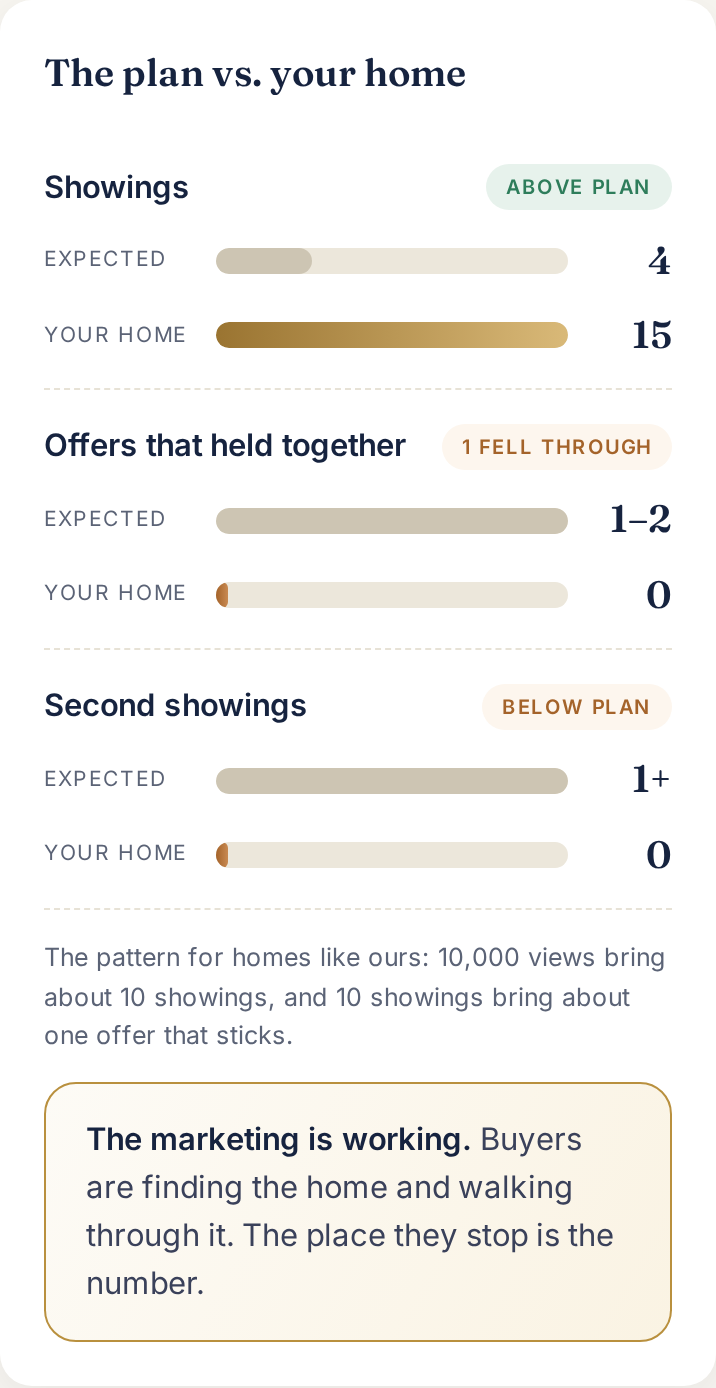
Add your view count and it measures your activity against what the numbers should be.
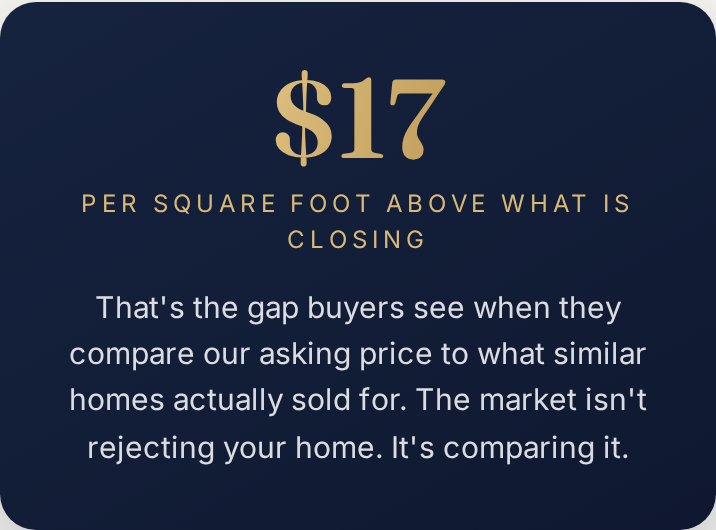
The price evidence, human-scaled.
Publish.
On desktop: click Publish on the artifact, copy the link. On the phone app: open the finished page, tap the share icon, tap Publish, copy the link. That link is the portal. It is a claude.ai link: your seller taps it and sees only their page, full screen, no login and no chat window. You confirmed every number on it, so the text you send can honestly call it "a private page I built for you."
Want it on your own link instead?
Ask Claude for the finished page as a downloadable HTML file. Post it on your own website, or if you do not have one, drag the file into Netlify Drop and you get a free live link in about 30 seconds. No account gymnastics, no Claude mark.
Numbers changed at day 54? Re-run the prompt with the new numbers and re-publish. Two minutes.
Send it
Text your seller and book the call.
"[First name], before we talk, I built you a private page: what buyers are saying, what the market did this month, and what it means for the house. Three ways forward. Read it before our call, takes two minutes." The page makes no asks and offers no decisions; its only button is "text me to set up the call." Your seller arrives at the conversation having already seen the evidence.
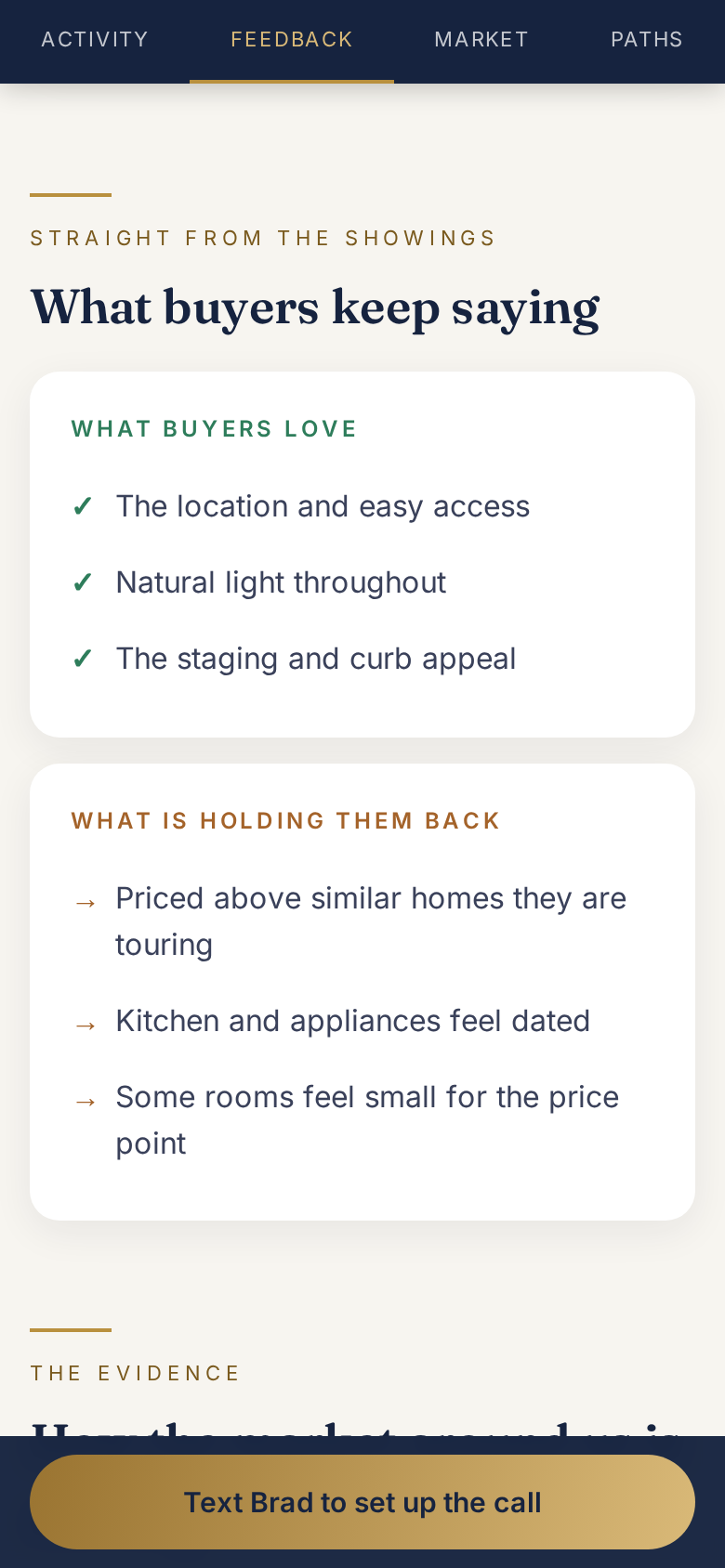
The only button on the page.
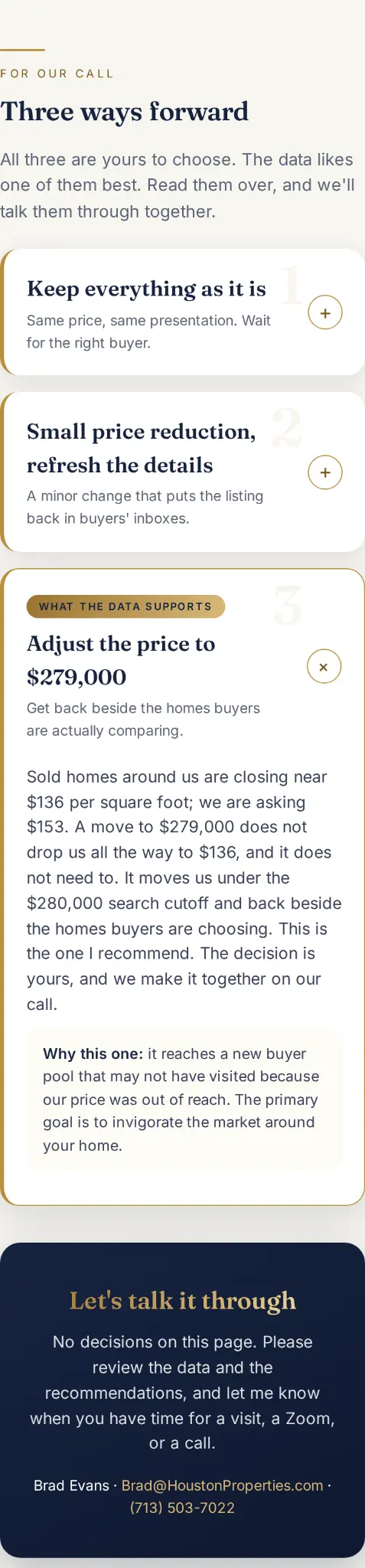
Three ways forward, the recommended one marked. The only button books the call.
You're done when
You confirmed or edited the price number yourself
The finished page has your numbers, no leftover brackets, nothing invented
The marketing list names only things you actually did for this listing
The link opens on your own phone, logged out
Your seller has the link and a time on the calendar for a visit, a Zoom, or a call
Video Walkthrough
Watch the full build, start to send
Bob and Paige walk through the entire process live, from a real sitting listing to a finished portal the seller can open on their phone.
How Can Realtors Use AI to Prepare for a Price Conversation?
Have a teammate with a listing that is sitting?
Send them this page.
Related Resources